

Download Duplex Play APK – Android TV Media Player, IPTV Player, Playlist Manager
Overview
Duplex Play APK is a desktop and mobile media player application developed by CRTVAPPS, designed for Android devices including smartphones, tablets, and smart TVs. The software functions as a multimedia playback tool that enables users to stream video content from locally stored files or external playlists. It is particularly tailored for individuals seeking a customizable and efficient way to manage and play video libraries across multiple devices. The app does not host or provide any media content, meaning users must manually upload and organize their own video files and playlists.
Its primary purpose is to offer a unified interface for playing videos in a user-defined order, supporting advanced playback features such as resume functionality and time slider navigation. Duplex Play is especially suited for tech-savvy users, media enthusiasts, and those managing personal IPTV channels. It allows for deep customization of playback settings, including audio track selection and embedded subtitle support, making it ideal for users who value control over their viewing experience. The app is not intended for casual users seeking plug-and-play entertainment, as it requires manual setup and configuration.
Key Features & Capabilities
- Playlist Management – Users can create, customize, and organize multiple video playlists for easy access and playback in a preferred order.
- Resume Playback – The app remembers the last playback position, allowing users to pick up where they left off on any video.
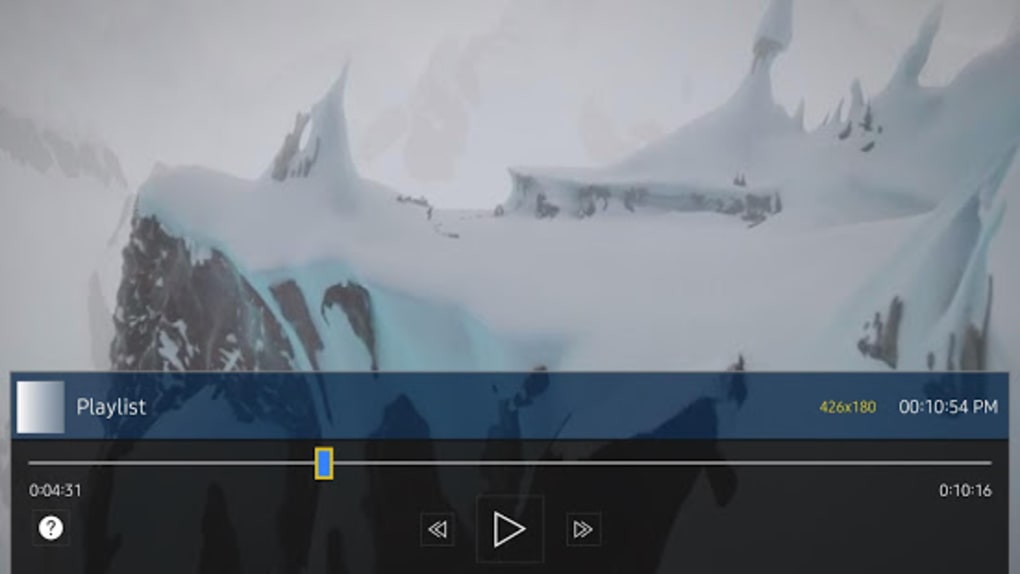
- Time Slider Navigation – A built-in time slider enables precise navigation to any point within a video file.
- Embedded Subtitle Support – The player supports embedded subtitles, allowing users to view text in their preferred language.
- Multiple Audio Track Selection – Users can switch between different audio tracks, useful for multilingual content or audio commentary.
- IPTV Channel Support – The app can play IPTV streams when configured with a valid playlist, though users must have a separate subscription.
- Remote Playlist Management – Playlists are managed via a web interface using a device ID and key provided by the app.
These features are particularly beneficial for users who maintain personal media libraries or stream content from third-party sources. The ability to manage playlists remotely via a browser adds flexibility, especially for users who organize content across multiple devices. The app’s design emphasizes user control and customization, making it a strong choice for advanced users who prioritize flexibility over convenience.
User Interface, Workflow & Performance
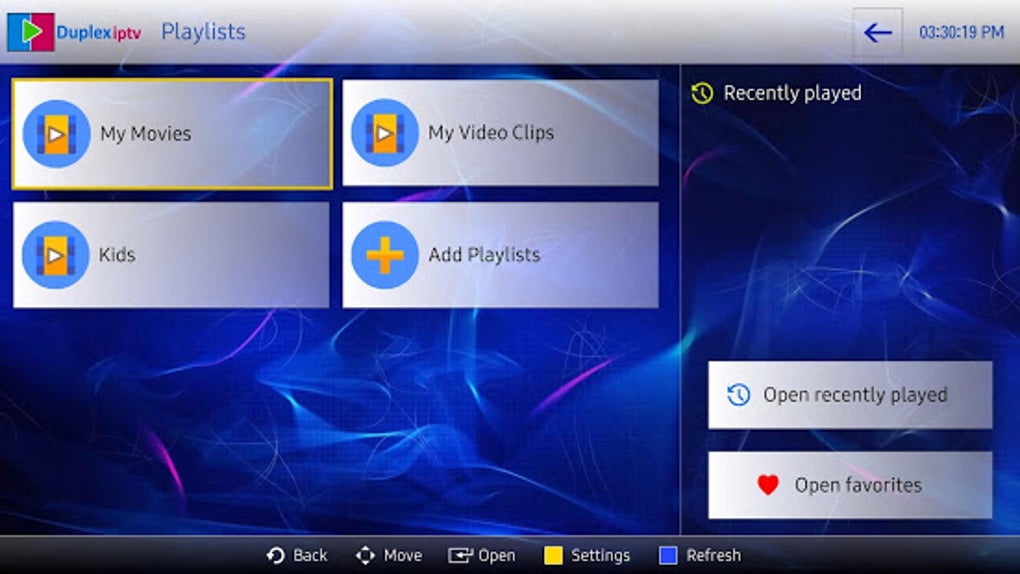
The user interface of Duplex Play APK is structured around a clean, minimal layout focused on playback and playlist access. Navigation is straightforward, with the main screen displaying available playlists and playback controls. The interface supports touch-based interaction, making it suitable for use on tablets and smartphones. The workflow begins with adding a playlist through the "Add Playlist" button, which triggers a setup process involving a web-based configuration portal.
Performance details were not specified by the developer. However, based on general behavior of media players on Android, the app is expected to function efficiently on devices with standard processing power and sufficient RAM. The developer did not provide additional system requirements or resource usage data. Stability is assumed to be consistent with similar media applications, though users may experience delays during playlist synchronization if network connectivity is inconsistent. The app’s reliance on external playlist management may introduce minor latency during initial setup or refresh cycles.
Compatibility & System Requirements
Duplex Play APK is designed for Android devices, including smartphones, tablets, and smart TVs. The software is available as an APK file, indicating it is intended for installation on Android operating systems. The developer did not specify exact system requirements or hardware specifications. Installation size information was not provided. Platform compatibility information is limited to Android, with no mention of support for Windows, macOS, or other operating systems.
Users are required to use a web browser to manage playlists, which suggests compatibility with standard web protocols and modern browsers. The app’s functionality depends on a stable internet connection during the setup phase, particularly when syncing playlists. The developer did not specify whether the app supports offline playback after initial setup.
Pros and Cons
Pros
- Supports custom playlist creation and remote management via web interface
- Offers resume playback and time slider for precise navigation
- Includes embedded subtitle and multiple audio track support
- Capable of playing IPTV content with proper configuration
- Provides full user control over media playback and organization
Cons
- Requires manual playlist setup and content upload
- Not free; includes a 7-day trial followed by a paid subscription
- Additional IPTV subscription required for channel streaming
- Setup process may be complex for non-technical users
- Developer did not provide detailed system requirements or performance metrics
FAQ Section
Is Duplex Play APK free to use?
Duplex Play APK offers a seven-day free trial. After the trial period, users must pay a small fee to activate the app permanently.
Can I use Duplex Play to watch IPTV channels?
Yes, the app supports IPTV playback when configured with a valid playlist. However, users must have a separate IPTV subscription to access live channels.
How do I manage my playlists?
Playlists are managed through a web-based portal. After launching the app, users receive a device ID and key. These are used to log in to the management URL provided in the app.
Is Duplex Play secure?
The app does not host content and relies on user-uploaded media and external playlists. Security depends on the source of the content and the integrity of the playlist provider.
Does Duplex Play work offline?
Once playlists are loaded and content is cached, the app can play videos offline. However, initial setup and playlist updates require an internet connection.
Final Thoughts
Duplex Play APK stands out as a powerful, customizable media player tailored for users who demand full control over their video playback experience. Its advanced features—such as resume playback, time slider navigation, and support for embedded subtitles and multiple audio tracks—make it a compelling choice for media enthusiasts and tech-savvy individuals. The ability to manage playlists remotely via a web interface adds a layer of convenience for users managing content across devices.
However, the app is not suitable for everyone. Its non-free nature, combined with the need for a separate IPTV subscription if streaming live channels, may deter casual users or those on a tight budget. The setup process, while functional, requires technical familiarity and may pose challenges for beginners.
For users who value customization, organization, and control over their media, Duplex Play APK delivers strong value. It is a robust tool for managing personal video libraries and streaming IPTV content with precision. If you’re ready to invest time and effort into building a personalized media environment, this app is worth considering.
Download Duplex Play APK now





.png)

